
Each workflow has an author which is the person who last modified the workflow. Some third party products like Nintex allow you to configure the workflow to run as the workflow owner. The workflow owner is the person who last modified (published) the workflow. Deleting this account will result in issues for these workflows as actions will no longer be working. The below script will look through the site collection you specify for any associated workflows. You should run the below script for each site collection (or loop through all site collections) to list the current owner of the last published workflow. The script can also be used to just list all workflows currently in a site collection for migration purposes.
Please change the site collection URL before running the script.
You can go to this blog if you want to run the same script (but using CSOM) on your SharePoint Online environment.
#Add sharepoint pssnapin
if ( (Get-PSSnapin -Name microsoft.sharepoint.powershell -EA "SilentlyContinue") -eq $null )
{
    Add-PsSnapin microsoft.sharepoint.powershell
}

$WorkflowDetails=@()

$SiteCollection = get-spsite "Site Collection URL"
$webs = $SiteCollection.allwebs

foreach($web in $webs){
    $lists = $web.lists

    foreach($list in $lists){
        $wfs = $list.workflowassociations

        foreach($wf in $wfs){
            if($wf.name -notlike "*Previous Version*"){
                $authorID = $wf.author

                try{
                    $author = $web.SiteUsers.GetByID($authorID)

                    $row=new-object PSObject
                    add-Member -inputObject $row -memberType NoteProperty -name "SiteURL" -Value $web.Url
                    add-Member -inputObject $row -memberType NoteProperty -name "ListTitle" -Value $list.Title
                    add-Member -inputObject $row -memberType NoteProperty -name "WorkflowName" -Value $wf.Name
                    add-Member -inputObject $row -memberType NoteProperty -name "WorkflowOwner" -Value $author.userLogin
                    $WorkflowDetails+=$row
                }
                catch{
                    $row=new-object PSObject
                    add-Member -inputObject $row -memberType NoteProperty -name "SiteURL" -Value $web.Url
                    add-Member -inputObject $row -memberType NoteProperty -name "ListTitle" -Value $list.Title
                    add-Member -inputObject $row -memberType NoteProperty -name "WorkflowName" -Value $wf.Name
                    add-Member -inputObject $row -memberType NoteProperty -name "WorkflowOwner" -Value $authorID
                    $WorkflowDetails+=$row
                }
            }
        }
    }
}
$WorkflowDetails
Run PowerShell as administrator on a server in the SharePoint farm
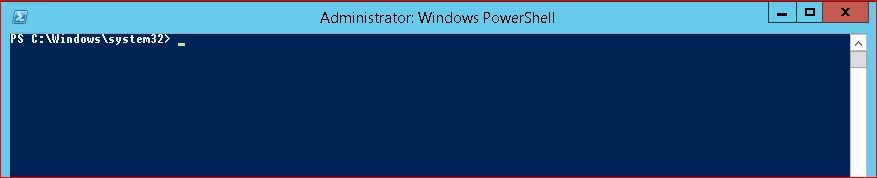
Next copy and paste the above script after you have changed the site collection URL to the PowerShell window.

The WorkflowOwner property is the one you should change if an account you are preparing to delete is mentioned here.
